EVPS Software & Modules
Stop reconciling WHMCS and QuickBooks by hand at the end of every month.
EVPS QuickBooks Intelligence Center keeps WHMCS and QuickBooks Online agreeing on every customer, invoice, payment, refund and credit · with an OAuth2 connection that refreshes itself, a reconciliation ledger that shows you the exact variance rather than a vague warning, and an Android app for your accountant that never holds a single Intuit credential.
Accounting drift is silent until it is expensive
Nothing in WHMCS tells you that QuickBooks disagrees with it. You find out at month end, or when your accountant does. This module makes the disagreement visible the moment it happens, and refuses to write anything until you say so.
The variance, not a warning
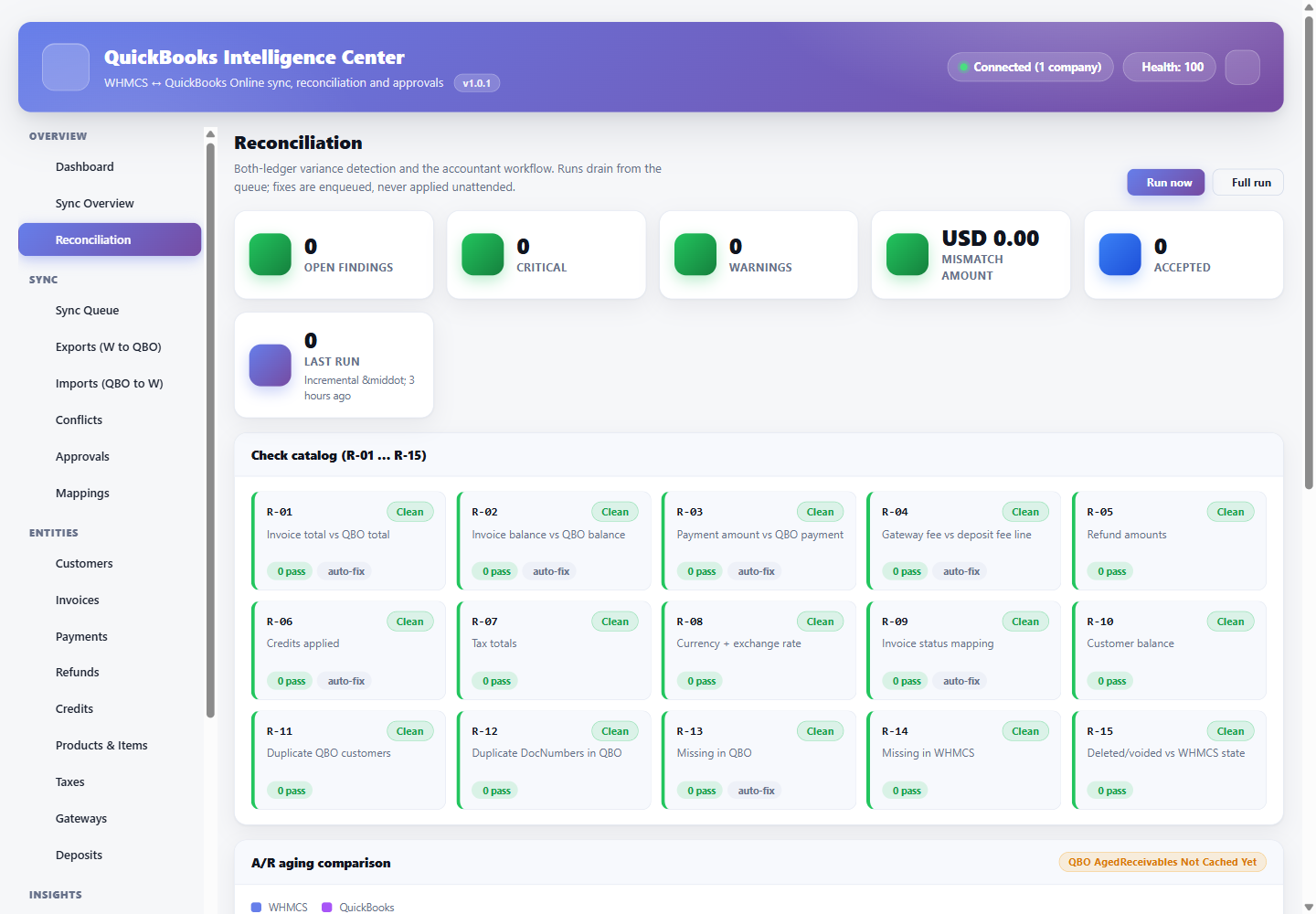
The reconciliation ledger compares WHMCS open A/R against the QuickBooks A/R report and shows the signed delta with the rows behind it. You get a number you can act on instead of “something is out of sync”.
Safe read-only by default
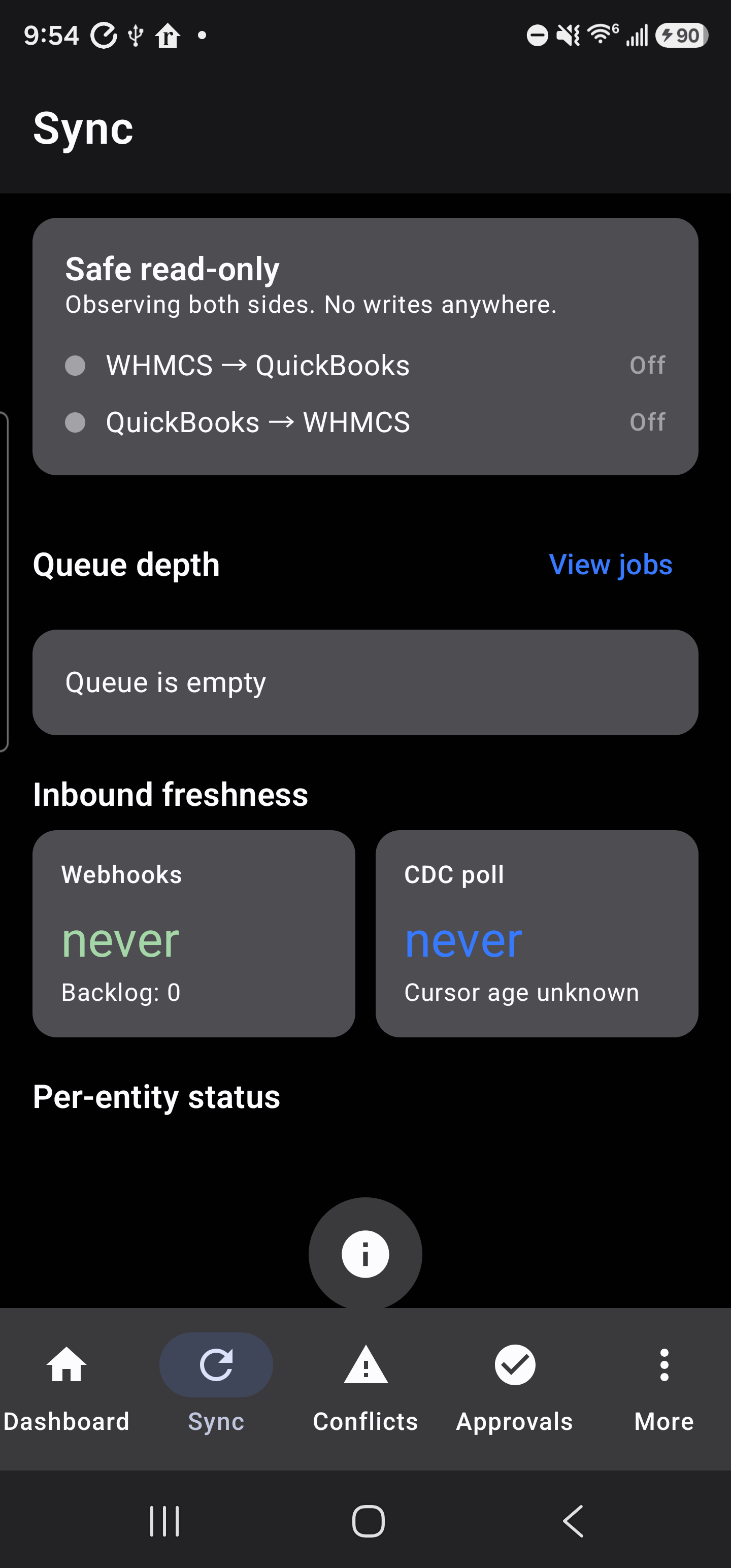
The module ships with global read-only engaged. It observes both sides and writes nothing until an administrator deliberately turns a direction on. Kill switches stop any direction instantly without uninstalling.
Tokens that look after themselves
Intuit rotates refresh tokens roughly every day. The connection persists the token from every response under a single-flight lock, so concurrent jobs cannot burn a rotation and strand your connection.
Your Intuit keys never leave WHMCS
The Android app talks only to your WHMCS install. Client ID, client secret and QuickBooks tokens stay server-side, encrypted at rest. A lost phone cannot expose your accounting connection.
What the module gives you
Thirty administrator surfaces across sync, entities, insights and operations. Every item below is implemented against the live Intuit Accounting API.
Guided connection
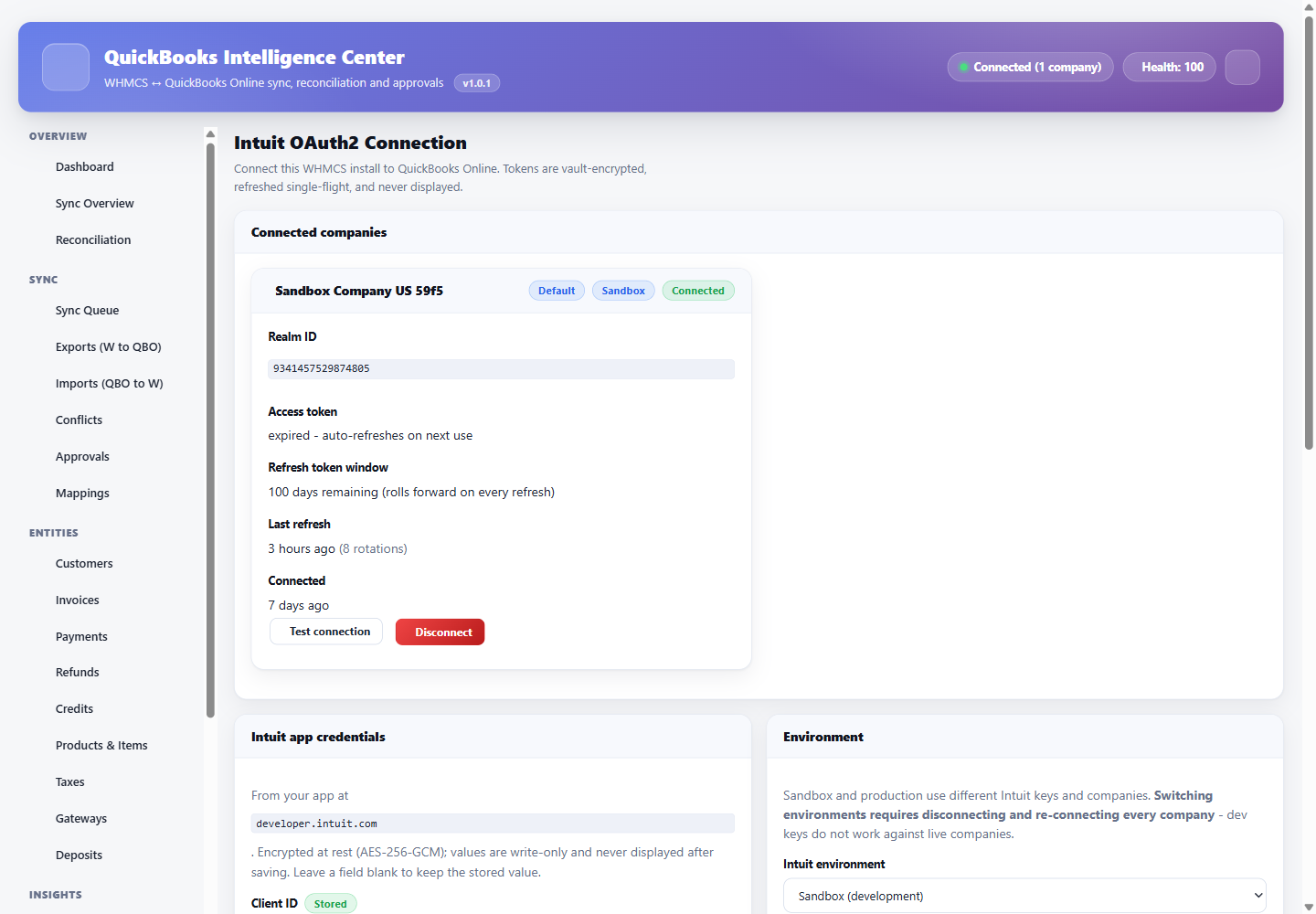
OAuth2 connect and disconnect, sandbox or production, multi-company support with a default realm, plus a one-click connection test that names the failure.
Weighted health score
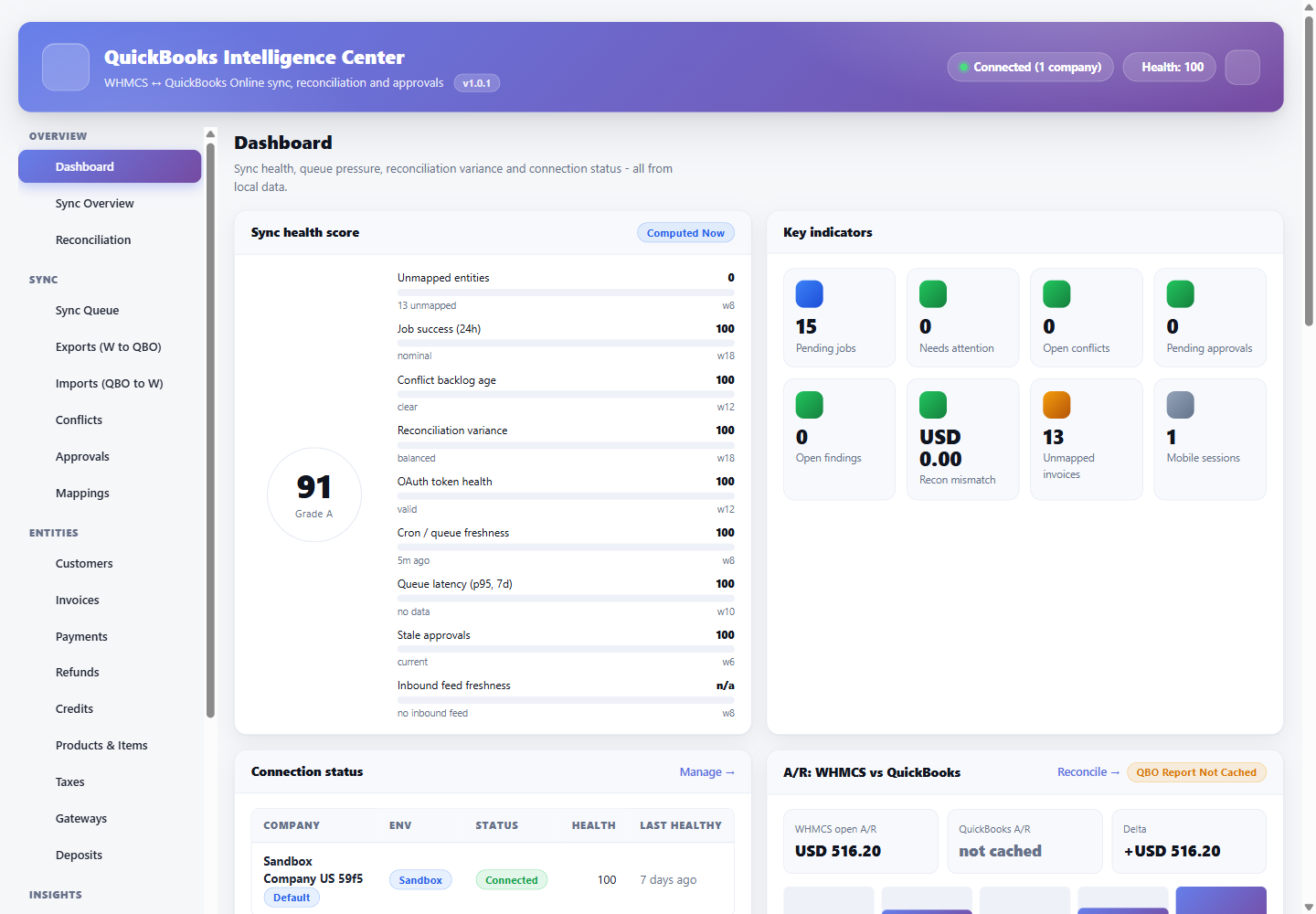
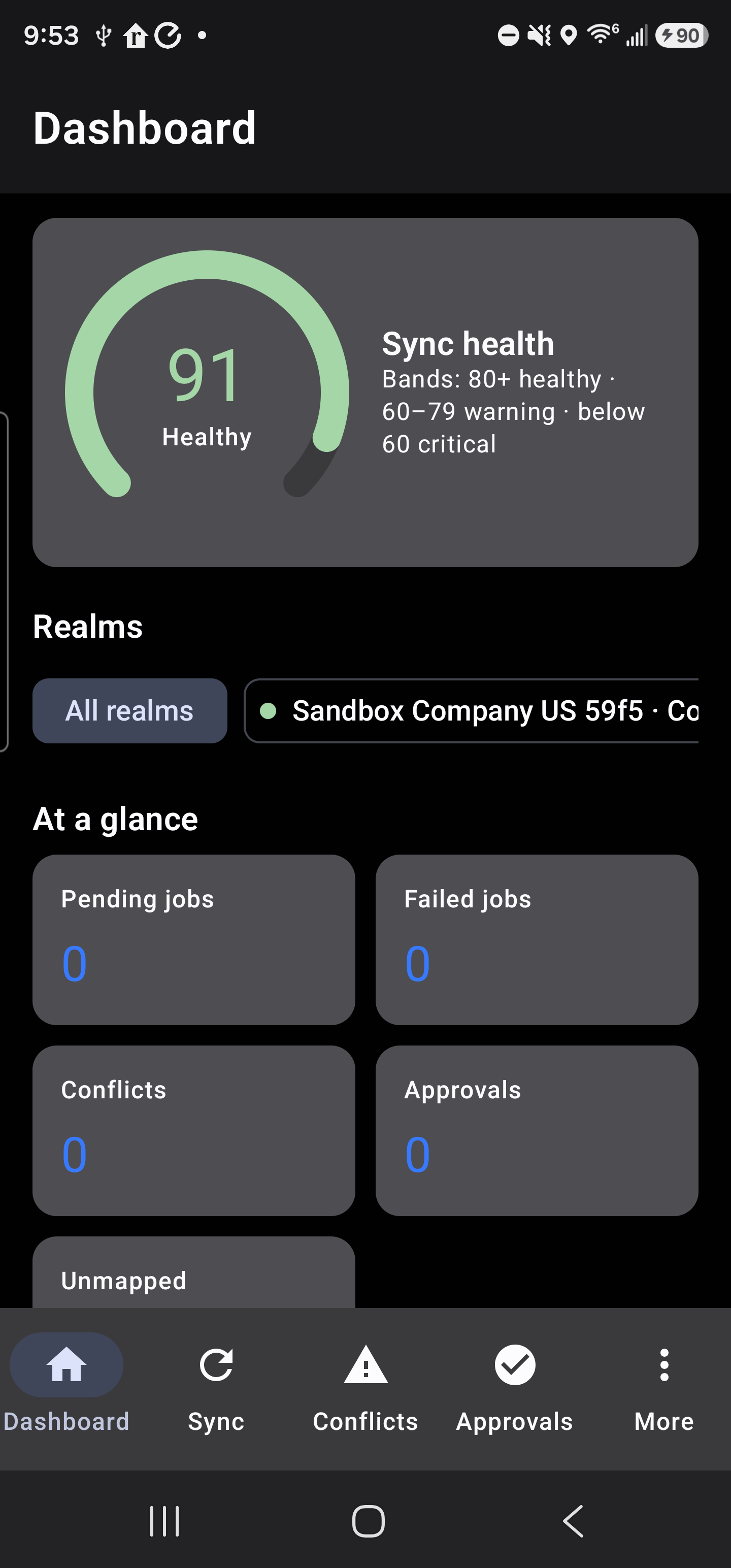
A graded score built from unmapped entities, job success, conflict backlog, reconciliation variance, token health, cron freshness, queue latency and stale approvals · each with its own weight.
Reconciliation centre
WHMCS versus QuickBooks A/R with the signed delta, per-entity findings and a variance history you can hand to an accountant.
Bidirectional sync engine
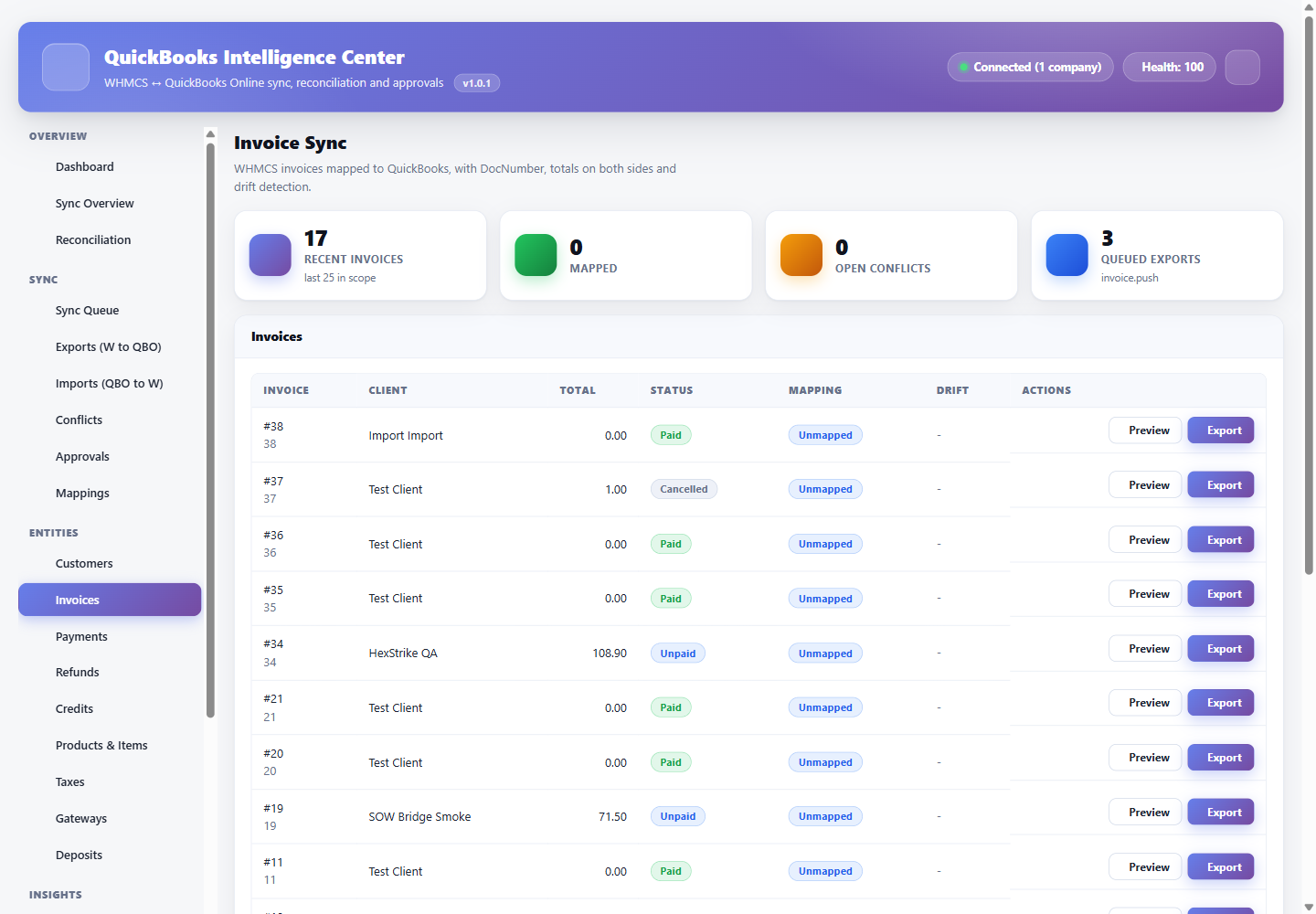
Customers, invoices, payments, refunds, credits, products, taxes, gateways and deposits, with per-direction control and content-hashed idempotency keys.
Mapping & auto-matching
WHMCS-to-QuickBooks entity mappings with an auto-matcher, an unmapped queue and manual override that records who decided what.
Conflict resolution
When both sides change the same record, the job stops and becomes a conflict with both payloads shown side by side, rather than one side silently winning.
Approval gate
Inbound and destructive writes can require a human decision before they execute, with a full record of the approver and the payload approved.
Durable job queue
Retries with backoff, rate-limit awareness, dead-letter handling, cancellation and a per-job attempt timeline with correlation IDs.
Change data capture & webhooks
Intuit CDC polling plus HMAC-SHA256 verified webhooks so inbound changes arrive without a full rescan.
Reports
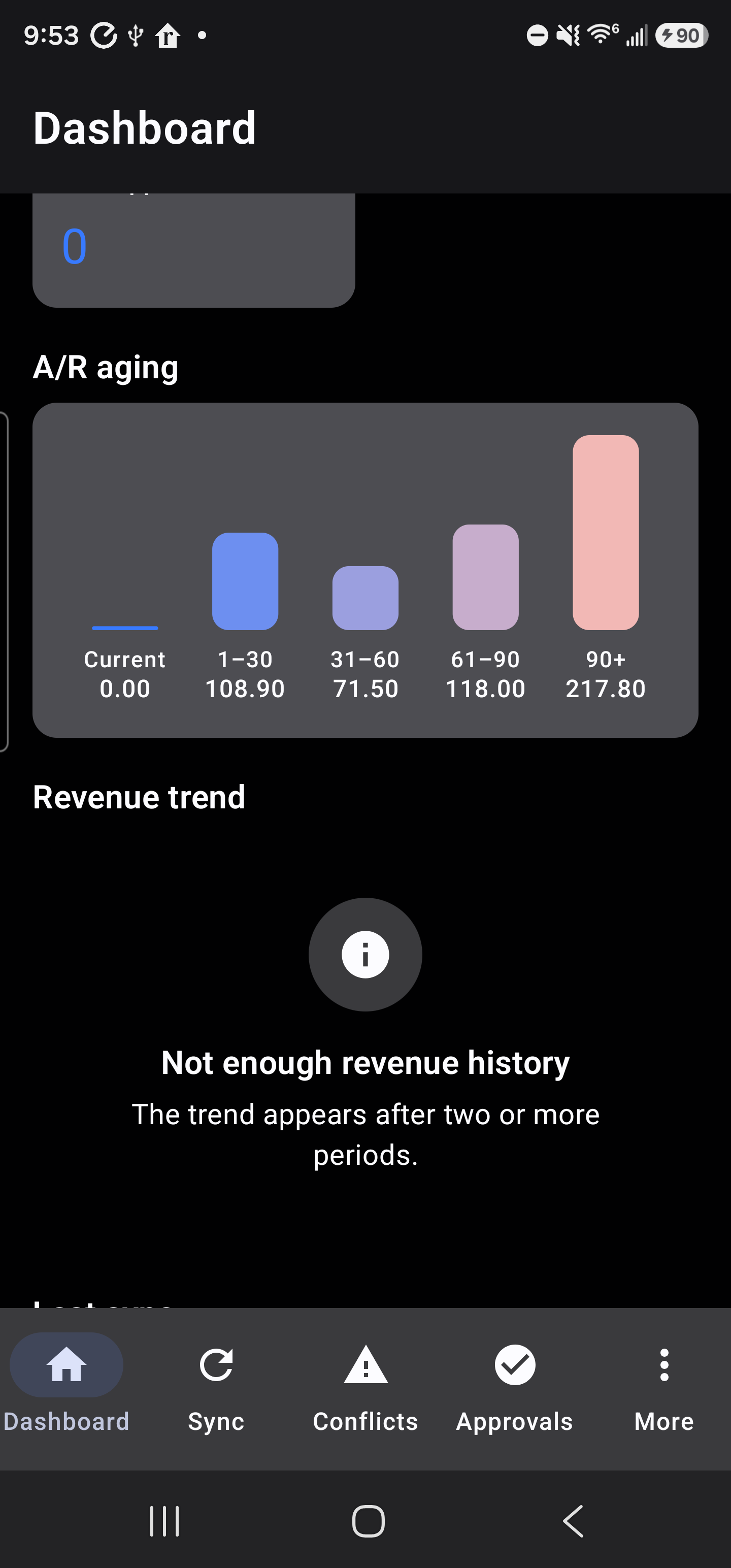
A/R aging, revenue trend, gateway and tax views drawn from the QuickBooks reporting API, with sensitive reports behind a step-up gate.
Android companion app
Dashboard, sync status, conflicts, approvals and entity browsing on a phone, over a dedicated mobile API with device binding and rotating refresh tokens.
Mobile user administration
Create mobile users, issue enrolment tokens, approve or revoke devices and assign roles · all from WHMCS, with per-endpoint permissions.
WORM audit chain
A hash-chained, append-only audit of every connection, mapping, approval and write, designed so a silent edit is detectable.
Kill switches
Global read-only, all-sync, per-direction, webhook and mobile-API switches that take effect immediately and are honoured by every code path.
Diagnostics & logs
A scored readiness check, masked API call log, module log and revision history so support questions have answers on the same screen.
Privacy tooling
Optional erasure of a deleted client’s cached accounting data, with the audit chain preserved.
Real captures from a live QuickBooks connection
Taken from a working installation connected to an Intuit sandbox company · including the phone app reading the same data through the mobile API.
How to install & run it
- Install. Upload the addon and activate it in WHMCS. Activation creates its own tables; it never writes to QuickBooks during install.
- Licence. Paste the licence key issued at checkout. The module reports its own licence state in Diagnostics rather than failing silently.
- Connect. Create an app at developer.intuit.com, paste the client ID and secret, choose sandbox or production and complete the Intuit consent screen. Tokens are encrypted on arrival.
- Map. Run reconciliation to see what already matches, let the auto-matcher pair the obvious ones and resolve the rest from the unmapped queue.
- Enable writes. Stay in safe read-only for as long as you like. When the mapping looks right, turn on a single direction and watch the queue before enabling the other.
- Go mobile. Create a mobile user, issue an enrolment token and approve the device. The phone gets a scoped session; your Intuit keys never leave the server.
Protected, licensed, supported
ionCube protected
Shipped encoded against the Loader versions measured on the certified estate · 13.3 on PHP 8.2 and 14.4 on PHP 8.3 · not guessed from the encoder generation. A readable preflight explains any mismatch instead of a white screen.
Properly licensed
Issued through WHMCS Software Licensing on order, with reissue support when you move servers. No phone-home beyond the licence check-in.
Credentials stay yours
Intuit client secret and QuickBooks tokens are encrypted at rest with AES-256-GCM and are write-only in the interface. No accounting data is sent to us.
Verified before release
Every release passes syntax lint on PHP 8.2 and 8.3, a function-conflict scan across installed modules, unit tests, and an authenticated walk of the admin, client and mobile surfaces.
Compare the three licences
One codebase, three ways to buy it. Every tier ships the complete feature set · the difference is how many WHMCS installations it covers and how long you pay for it.
| Subscription $29.95 /mo · $269.95/yr | Best value Lifetime $1,299 one-time | Agency $3,499 one-time | |
|---|---|---|---|
| Complete feature set | |||
| WHMCS installations | 1 | 1 | 100 |
| QuickBooks companies | Unlimited | Unlimited | Unlimited |
| Reconciliation & variance ledger | |||
| Conflict resolution & approval gate | |||
| WORM audit chain | |||
| Android companion app | |||
| Updates & support | While subscribed | Life of product | Life of product |
| Licence reissue on server move |
What you need
WHMCS & PHP
WHMCS 8.13 or 9.0 on PHP 8.2 or 8.3, with ionCube Loader 13.3+ (PHP 8.2) or 14.4+ (PHP 8.3).
QuickBooks Online
A QuickBooks Online company and a free Intuit developer app to issue the OAuth2 keys. QuickBooks Desktop is not supported.
WHMCS cron
The standard WHMCS cron must be running · the queue, CDC polling and token refresh are driven by it.
Android (optional)
The companion app targets Android 11 and newer. It is optional; the module is complete without it.